Start free

For freelancers and small businesses who hate paperwork · 10 days free

Invoice. Log it. Sleep. Invoicing for freelancers and small businesses, with your quarterly taxes done

Taxes are complicated. Your invoicing app doesn't have to be.

Send the invoice. Log the expense. The quarter adds itself up. Done. No more screens, no more fields, no more spreadsheets.

Invoice

2026-014

From

Estudio Vega, SL

B12345674

Brand identity design12 h€1,020.00
Brand guidelines1€600.00
Stationery1€380.00
Logo tweaks3 h€255.00
Social media templates6€420.00

What this is, no fluff.

What it is
A web app to send invoices and log expenses. From those alone it works out what you'll owe each quarter. That's it. That's plenty.
How it works
Set up who's invoicing and who you bill. Invoice and log expenses as you go. When the quarter ends, check the numbers and the package reaches your accountant in one click. Done.
Who it's for
Designers, developers, translators, consultants, photographers, writers, trainers. If you bill for your work and tax deadlines make you sweat, it's for you. If you run payroll, carry stock or need full double-entry books: it isn't. That's what ERPs are for.
What it costs
Ten days free, no card. Then €8/month, €80/year or €2/day, VAT included. One plan: no crippled version to make you pay for the real one.
What it isn't
It doesn't file your taxes. It doesn't replace your accountant. If someone promises you that for €8 a month, run. What it does is hand you the numbers, done, so the deadline doesn't catch you with your pants down.

How to invoice if you're adesignerdevelopertranslatorphotographerconsultant

Hi there,

I'm Hayder, a software engineer and self-employed. So every quarter I do the same dance you do.

I hated that part. Not the work: everything after it.

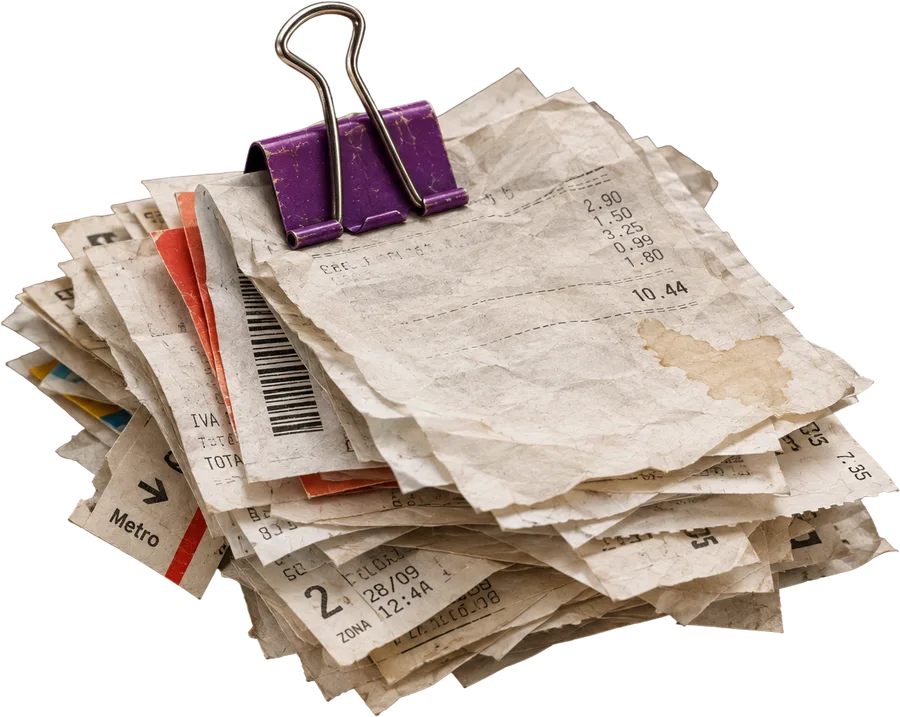
At first it was paper. Invoices folded in my bag, receipts slowly fading to blank in a folder (thermal paper is humanity's worst invention, right after the shared spreadsheet), and me, a few days before the deadline, rebuilding three months like a forensic scientist.

Then I moved to cloud software, one of the good ones. The kind with forty screens and a welcome tour that greets you every single time you log in. And the mess was still there, only prettier. To find out what I'd owe, I still had to ask.

I'd message my accountant: “What's the damage this quarter?” “Send me the invoices.” I'd send them. One was missing. One was always missing.

Then the bill came. Sometimes it added up. Sometimes I opened my banking app with one eye closed.

Truth is, I didn't want better software. I wanted to be able to almost forget about it. For the software to do the work, which is what it's for. I've already got a job.

So I built something for what I needed (and, 99.9% likely, what you need too). No plan, and not thinking too hard about selling it. The logo came right after; I'd had the domain sitting there for years. Just enough: write the invoice and forget about it, log an expense with a photo of the receipt, and be able to check, any day, what I was going to owe.

I've used it like that for a long time. So much that I ended up doing the invoices for my dad's shop with it too, from my phone, without leaving the place. Being a good son, with less effort.

One day I showed it to a friend. He asked to try it. He's had it for months and still hasn't given it back.

That's when I thought maybe it wasn't just me. So I took the time to polish it properly and open it up.

What it does today, no frills:

  • Invoices and quotes that number themselves, with your logo and colours.
  • Expenses logged from a photo of the receipt.
  • Your quarterly taxes worked out every quarter, with the deadline in sight.
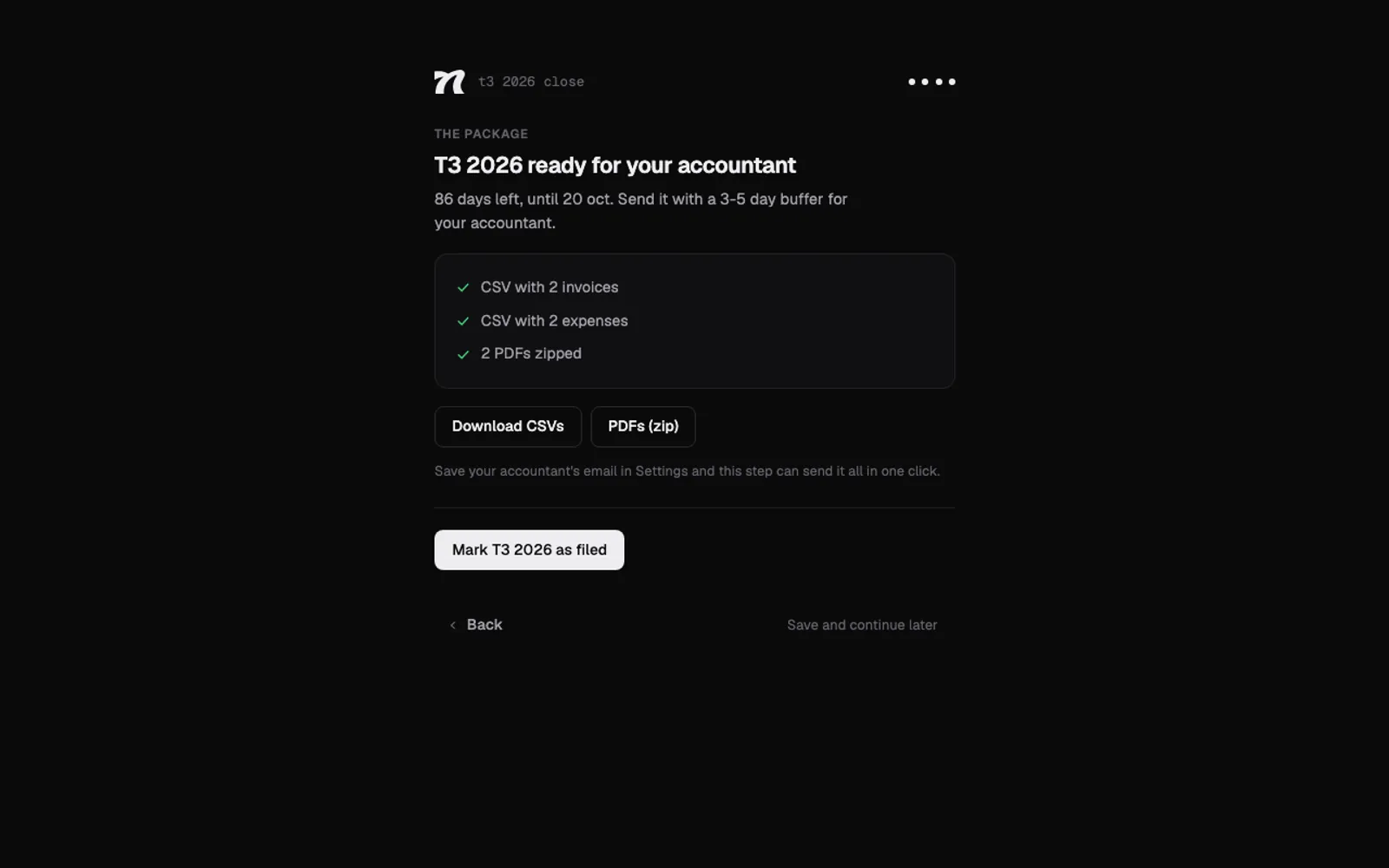
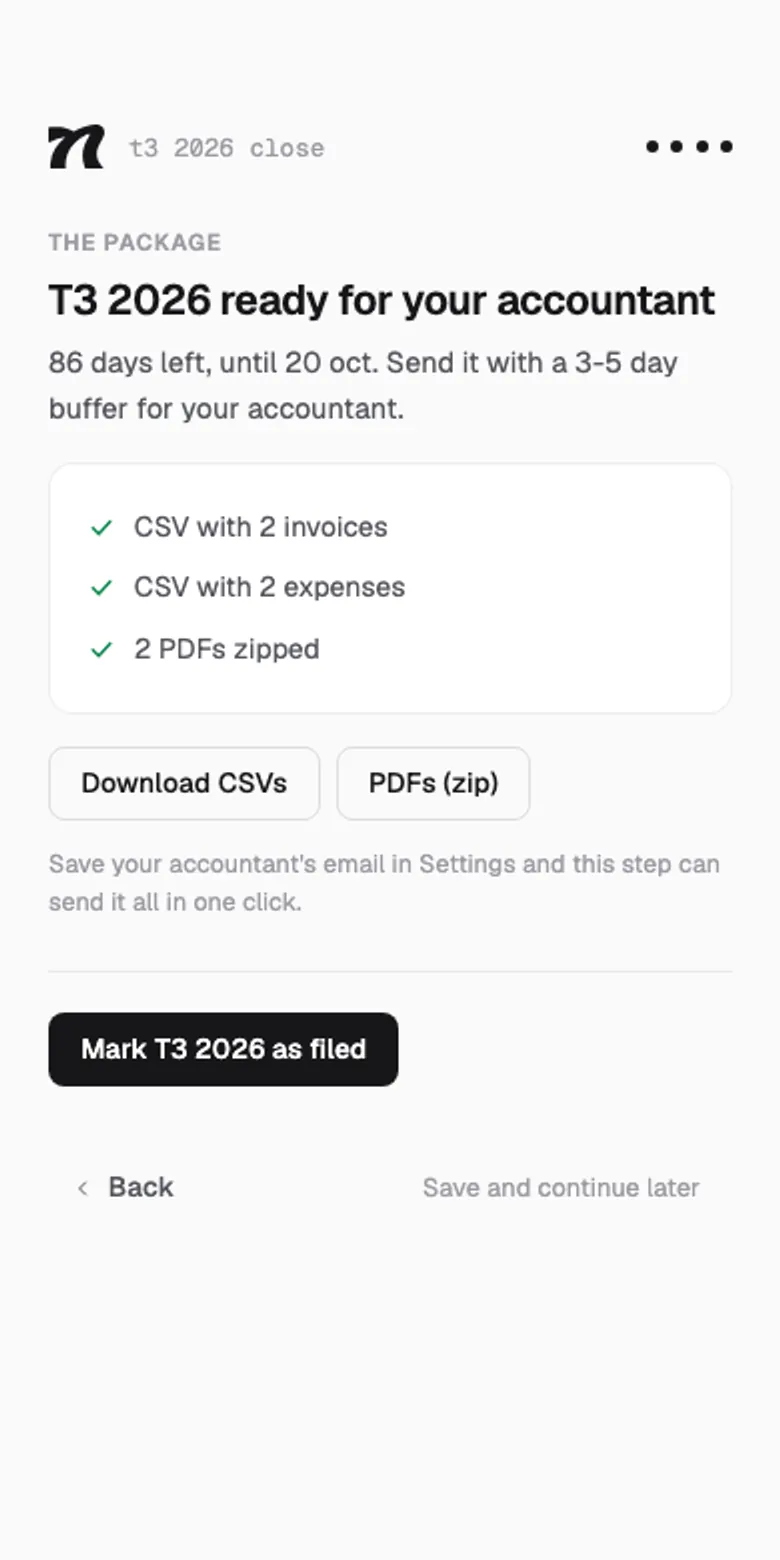
  • At quarter-end it sends everything to your accountant in one click, or on its own if you like: CSVs, PDFs in a zip and the figures.
  • Retainers that invoice themselves, and each client in their own language and currency.
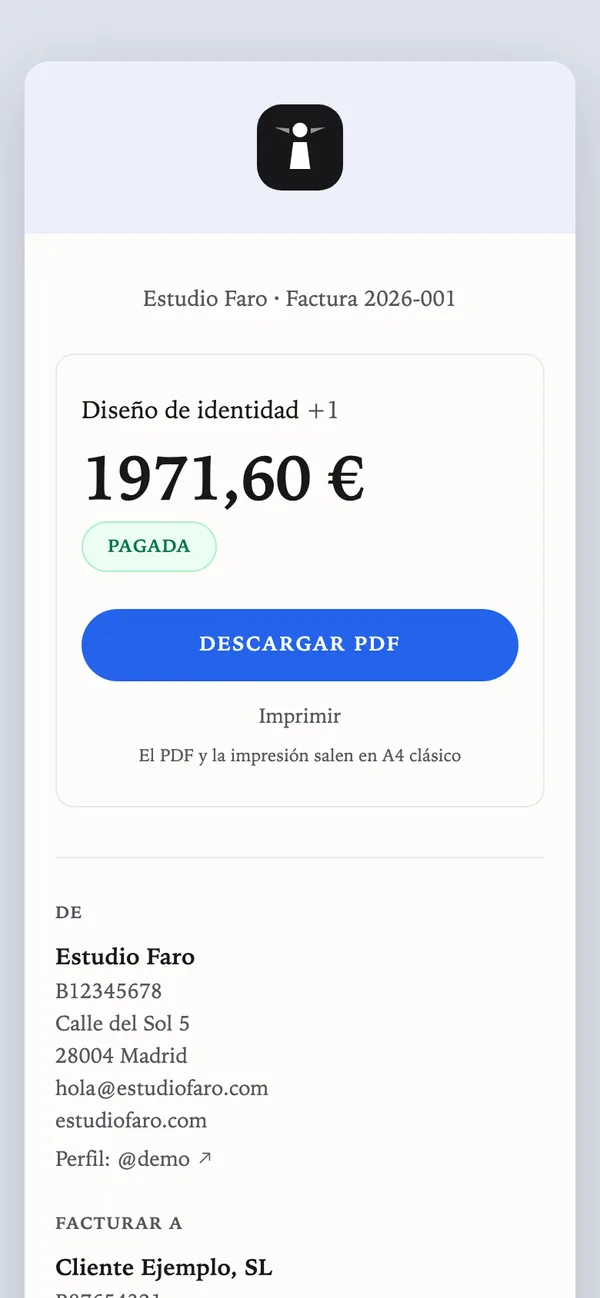
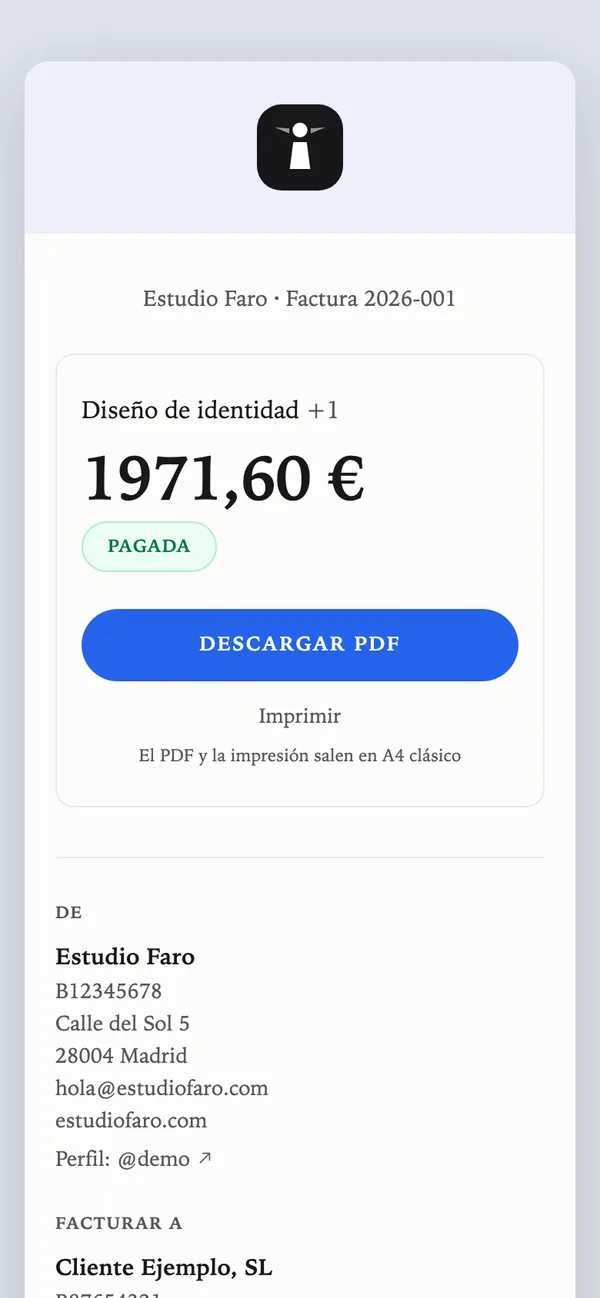
  • Your own page at nyrut.com/@yourname, with your billing details and links. No more pasting them into every email.
  • And if you live in the terminal, all of this from there too.
  • Your data, yours: take the full copy whenever you like.

Fair warning about what it doesn't do: it doesn't file taxes or replace your accountant. It leaves you the numbers done and the package ready to send. That was enough for me to stop waiting until the last day. And for my accountant to stop asking me for the missing invoice.

If you try it and something doesn't fit, email me. I read it myself. Even the complaints. Especially the complaints.


Hayder · Write to me
Software engineer, self-employed, and the one who built Nyrut
What we left out is worth more than what's in.

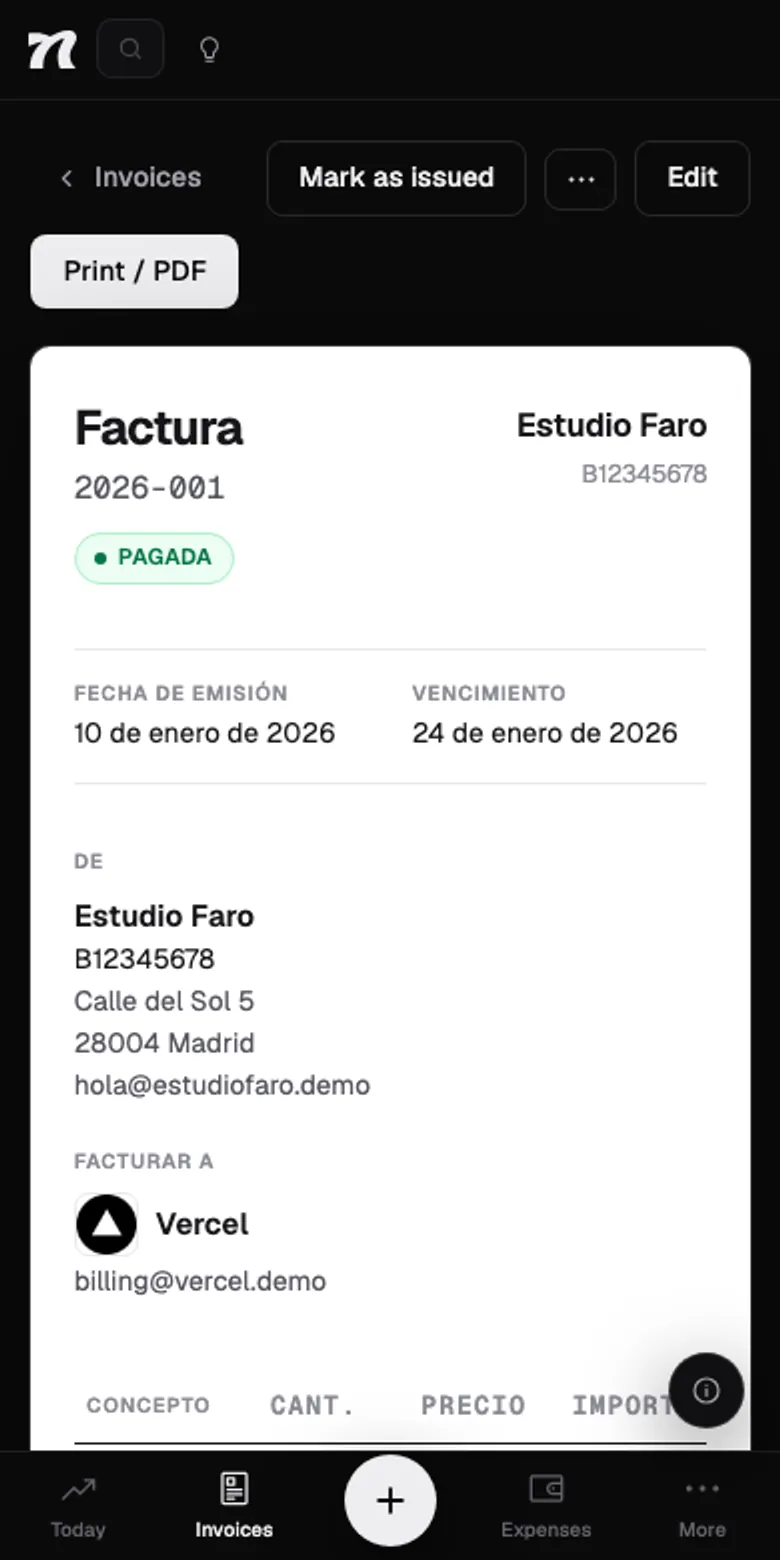
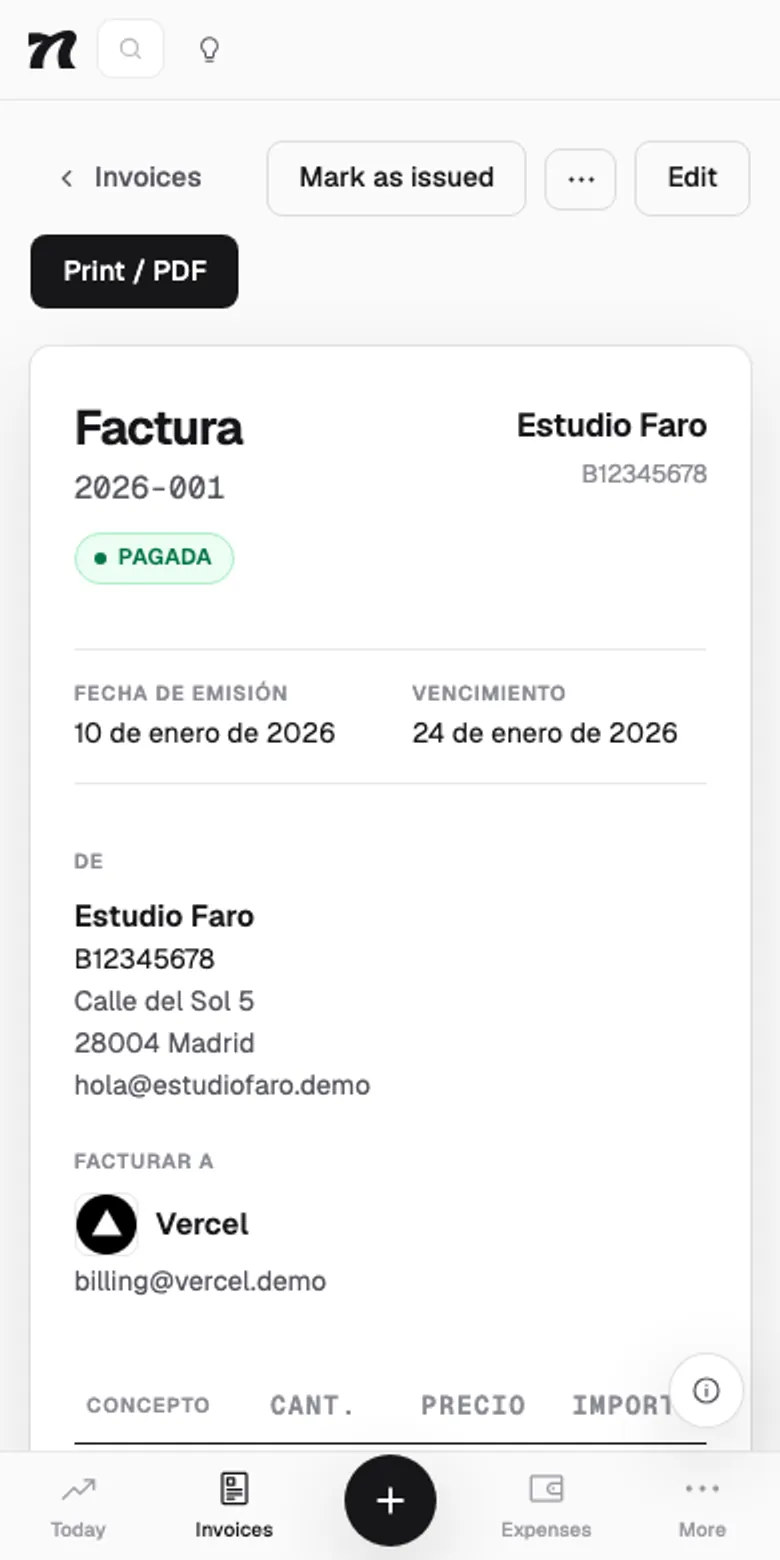
An invoice in NyrutAn invoice in Nyrut

Every screen does one thing. All the way.

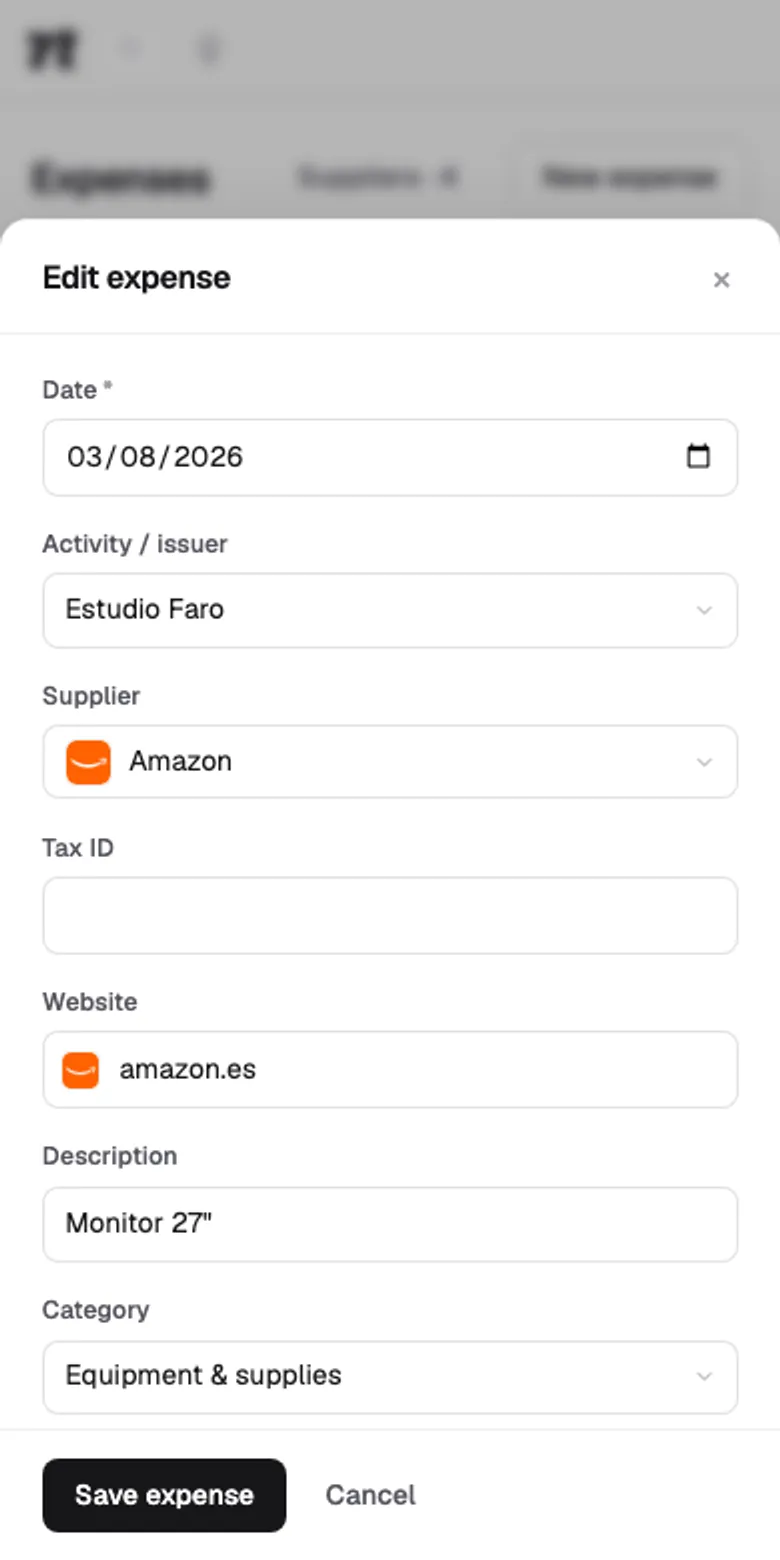
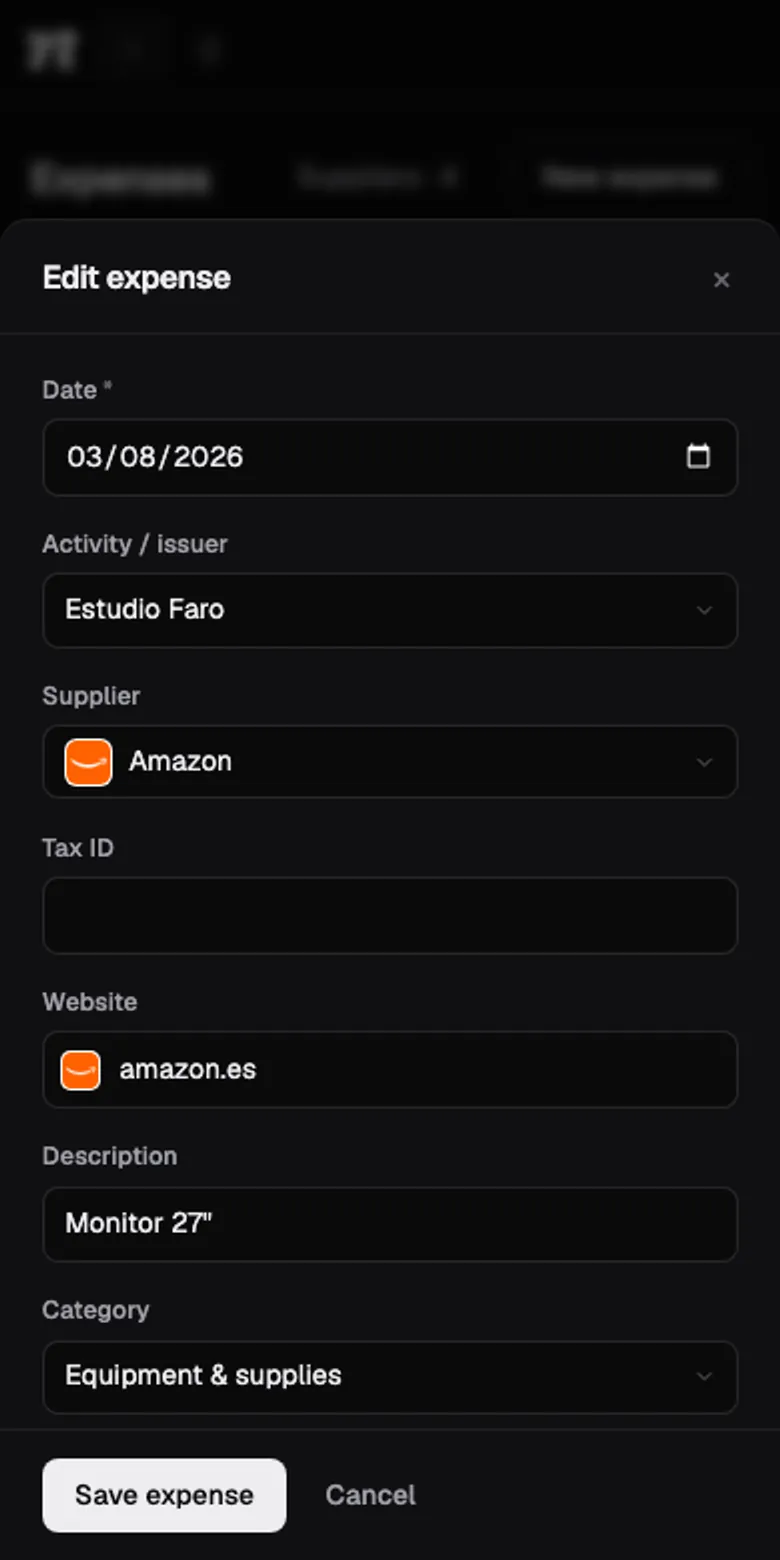
An expense filled in by AI from the receiptAn expense filled in by AI from the receipt

Not a single field you won't fill in.

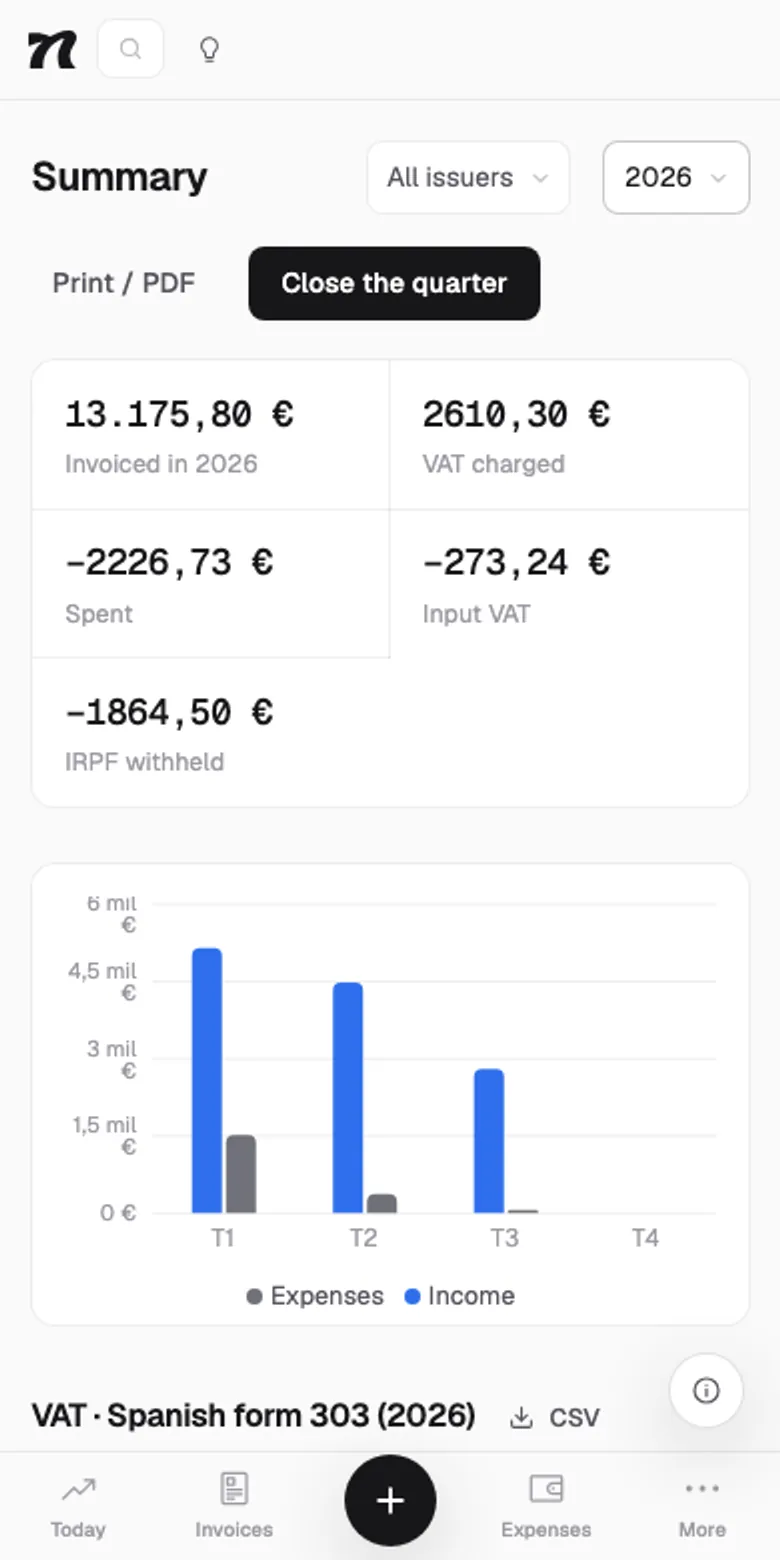
The quarter's tax summaryThe quarter's tax summary

It does the maths. You make the calls.

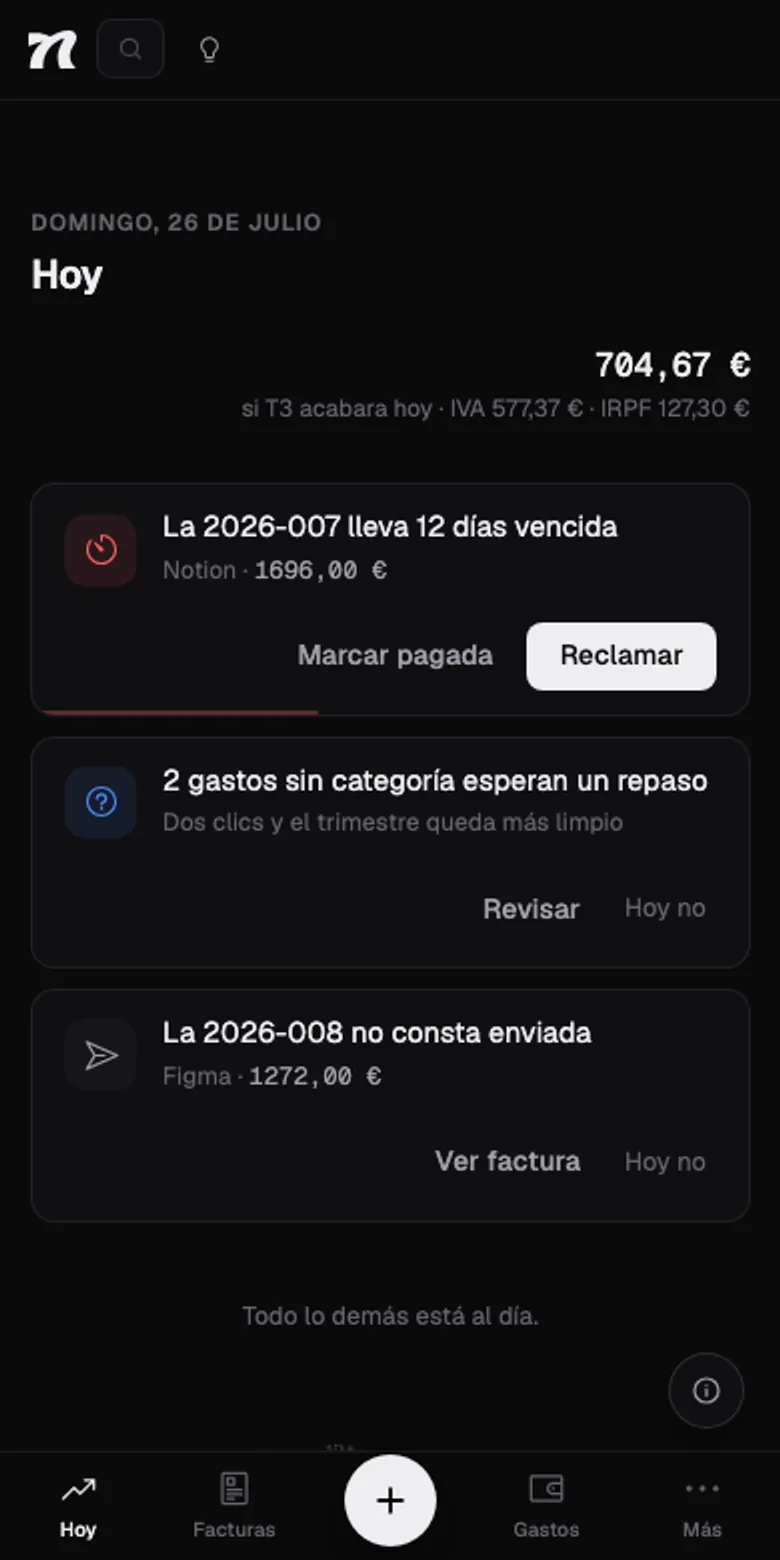
Today

Open it. Look. Know what to do.

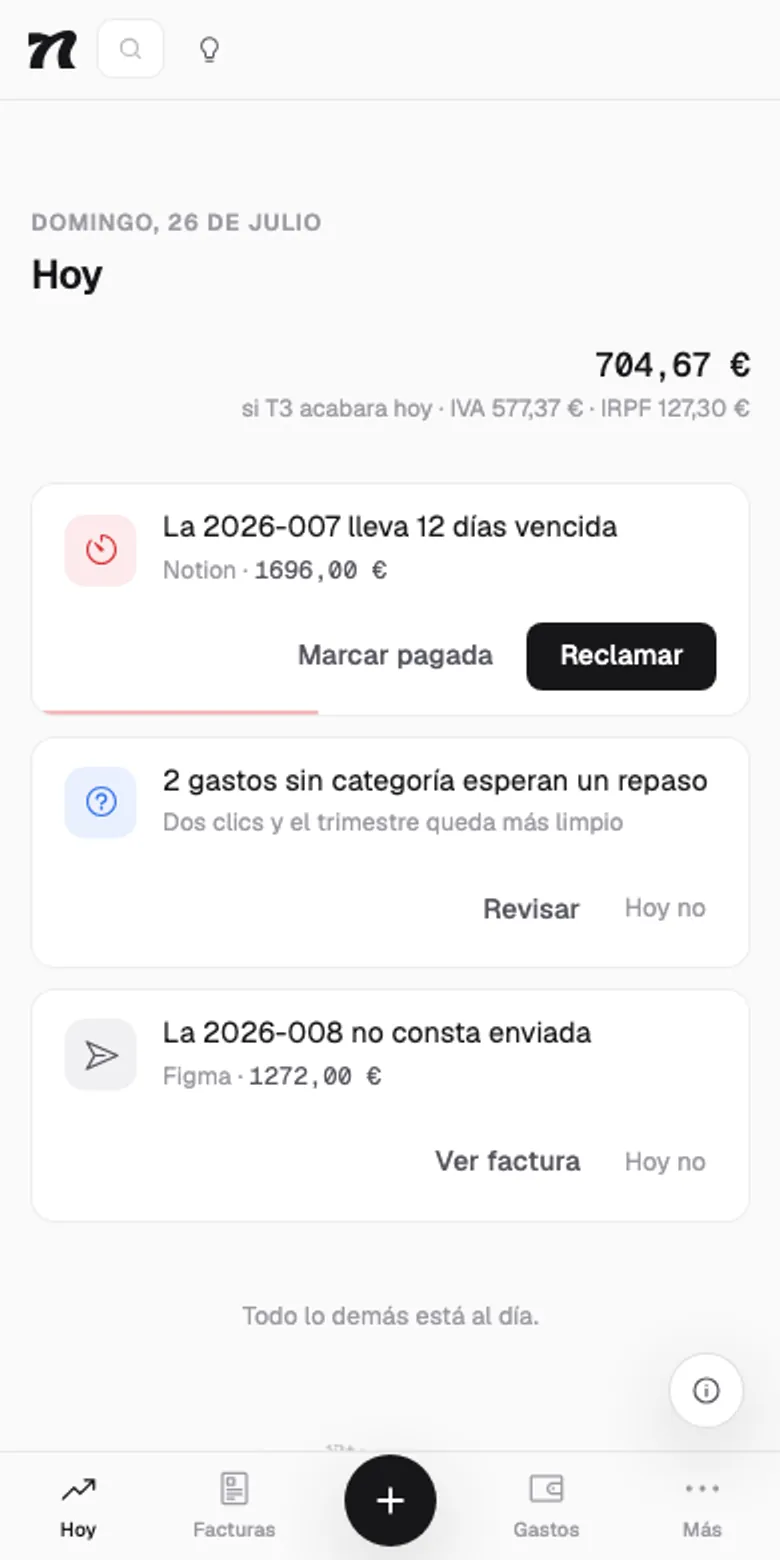
No endless lists. The first screen tells you what needs you today: the invoice nobody's paid, the uncategorized expenses, the quarter that's about to close. And next to each one, the button to get it off your plate.

Today

Q3 · 2026

€4,942.70

303

if Q3 ended today

  • Invoice 2026-011 is 12 days overdue

    Ayuntamiento de Sant Boi · €3,400.00

    Chase it
  • Invoice 2026-009 became overdue yesterday

    Estudio Faro · €1,210.00

    Chase it
  • 4 days left to close Q2

    The 303 form is due by 20 Jul

    Start the close
  • Invoice 2026-013 doesn't seem to have been sent

    Etéreo Experience, SL · €640.00

    View invoice
  • 3 uncategorized expenses await review

    Two clicks and the quarter gets tidier

    Review

When there's nothing left, it says so and shuts up: “All caught up.” If only more people could do that.

Expenses

Snap the receipt. The expense logs itself.

AI reads the crumpled paper and fills in supplier, date, subtotal, tax and category. You just check it's right and hit save. The receipt stays attached to its expense, in case the tax office asks.

Works with photos and PDFs. The AI has a monthly cap, and whatever it can't read clearly it leaves blank instead of making it up.

The close

Know what you'll pay before it hurts.

It adds itself up

In Spain, every line's VAT and every invoice's income-tax withholding land in the right box of the 303 and the 130. In the US, your net profit and self-employment tax, period by period. No calculator in sight.

Carries over

A quarter in the red? It carries to the next one, the way the return does. Nothing gets lost on the way.

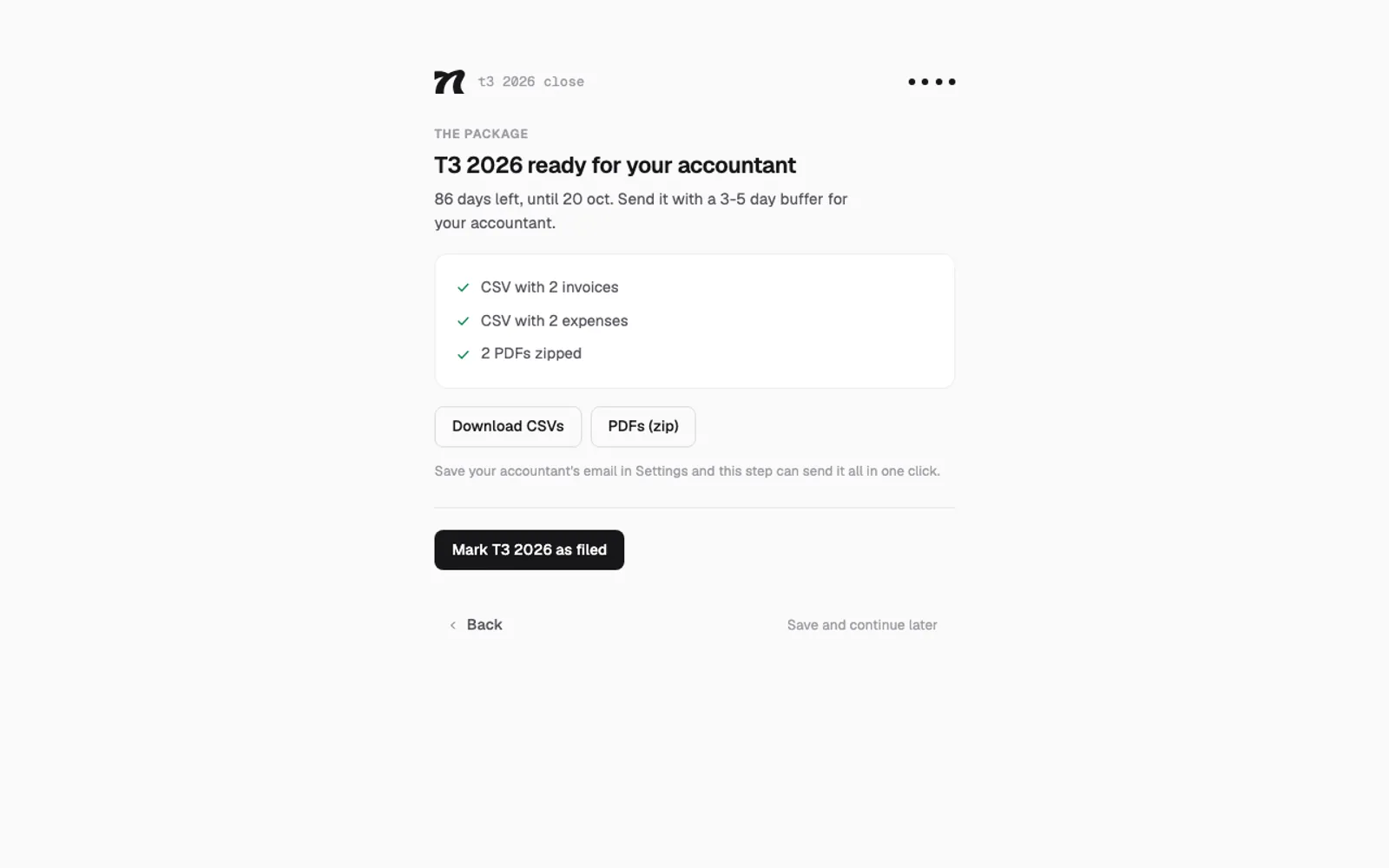
The close, in four steps

Payments, expenses, numbers and the package for your accountant: CSVs and PDFs in a zip, delivered in one click (or on their own, if you like). Your accountant will love you.

It's an estimate. And it says so.

So there are no surprises. Filing is still your accountant's job, and we won't pretend otherwise.

Tax summary

Q3 · 2026

VAT charged
€5,355.00
Input VAT
−€412.30
To pay (303)
€4,942.70

Due 20 October

The quarter

Invoices issued
14
Expenses logged
31
Withheld by clients
€1,830.00
Filed
No

Tax engines in six countries: Spain (303 and 130), Portugal, the Netherlands (BTW), Germany (USt), Belgium and the United States (estimated tax). Everywhere else it invoices just the same, but it doesn't make up taxes. Better no number than a wrong one.

What do you need to file?

Two questions. We'll tell you which forms are yours and when the next one's due. No account, no email and no chasing you afterwards.

How do you invoice?
Where from?

Next deadline


  • 303Quarterly VAT returnNyrut works it out
  • 130Income tax advance paymentUnder direct assessment. You're exempt if at least 70% of last year's income had tax withheld.Nyrut works it out
Get to that day with the numbers done

For Spain it's the common regime: the Basque Country and Navarre run their own tax offices, with their own forms and deadlines. For the US, federal estimated tax only.

@handle

And beyond the invoice, too.

Live: it's the real page.

Your details, in one link. No more pasting them into every email.

Claim your @handle and get a page with your brand: contact and billing details, your intro and your links. You decide what shows, field by field.

One more thing…

Keyboard person? So is Nyrut.

estudiovega — nyrut

From the terminal

For people who open the terminal before the browser. Same invoices, same rules. Whatever you create here opens in the browser as a normal invoice. Because it is one.

List what's pending, urgent first. Create, send, mark as paid or grab the public link: one command for each. Sign in with your browser session, and everything comes out as JSON for your scripts too. Yes, we know you have them.

npm install -g nyrut
Every command, with examples →

Everything in. No add-ons.

  • Retainers

    What you charge every month invoices itself every month. You won't even notice.

    How they invoice themselves →
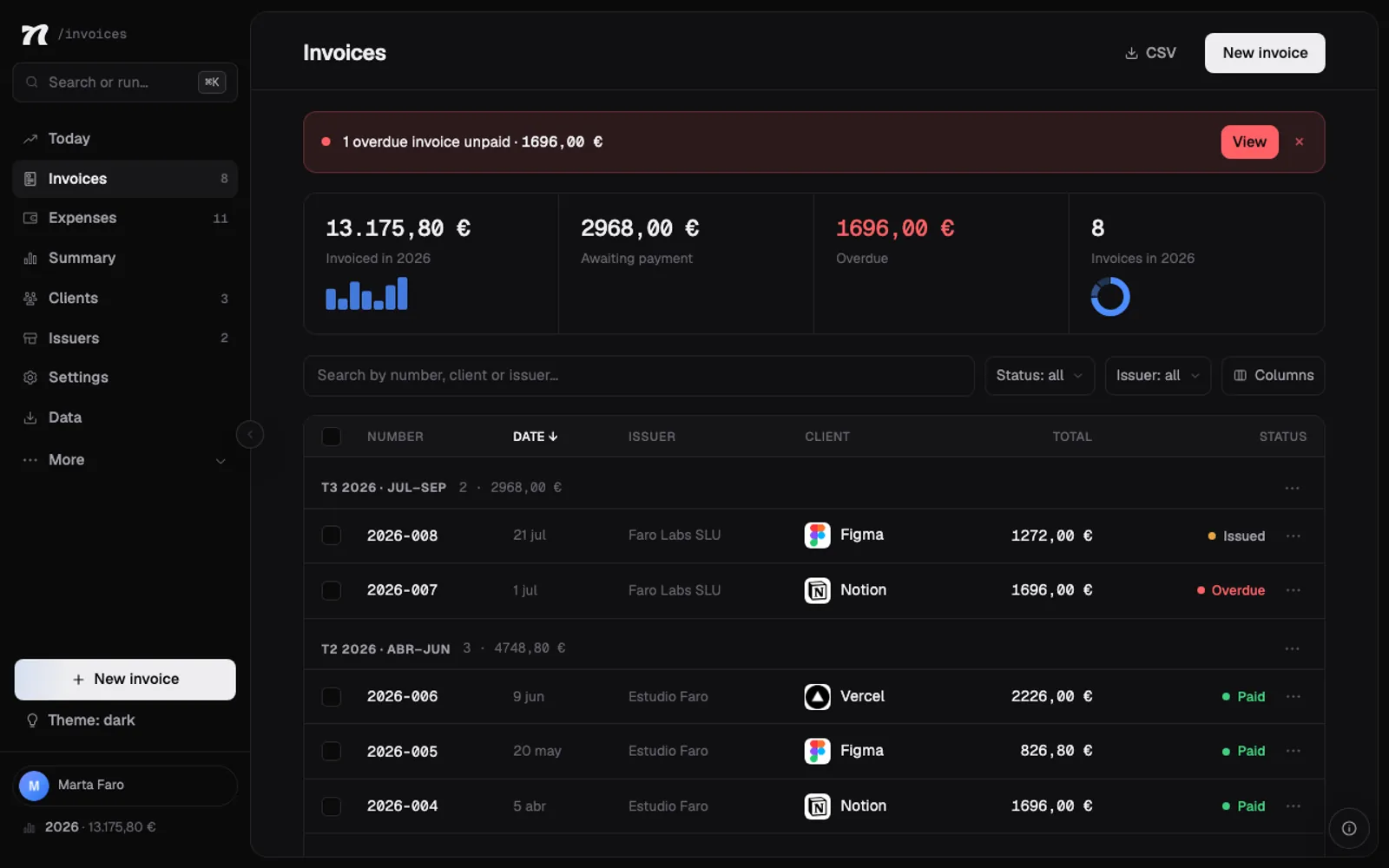
  • Your brand on the invoiceYour brand on the invoice

    Your brand on the invoice

    Your colour, your typeface, your paper. Make it look like yours.

    Everything you can change →
  • Several issuers

    Sole trader and a company on the side? Each with its own series and numbering. No mixing.

  • English and SpanishEnglish and Spanish

    English and Spanish

    The app in whichever you prefer. And each client gets their invoice in their own language and currency.

  • Expenses

    With their tax. Or bring your bank's CSV and you're done.

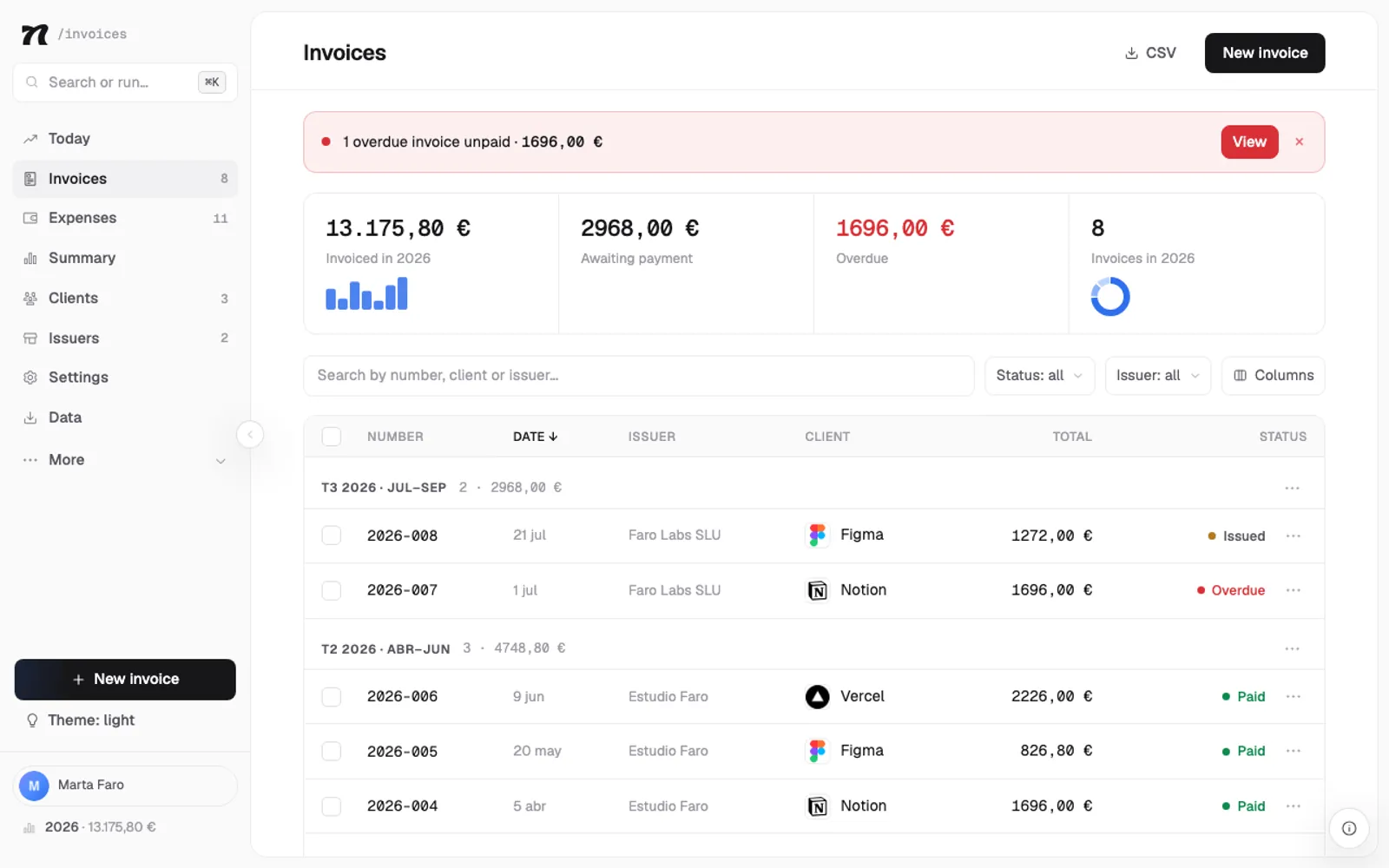
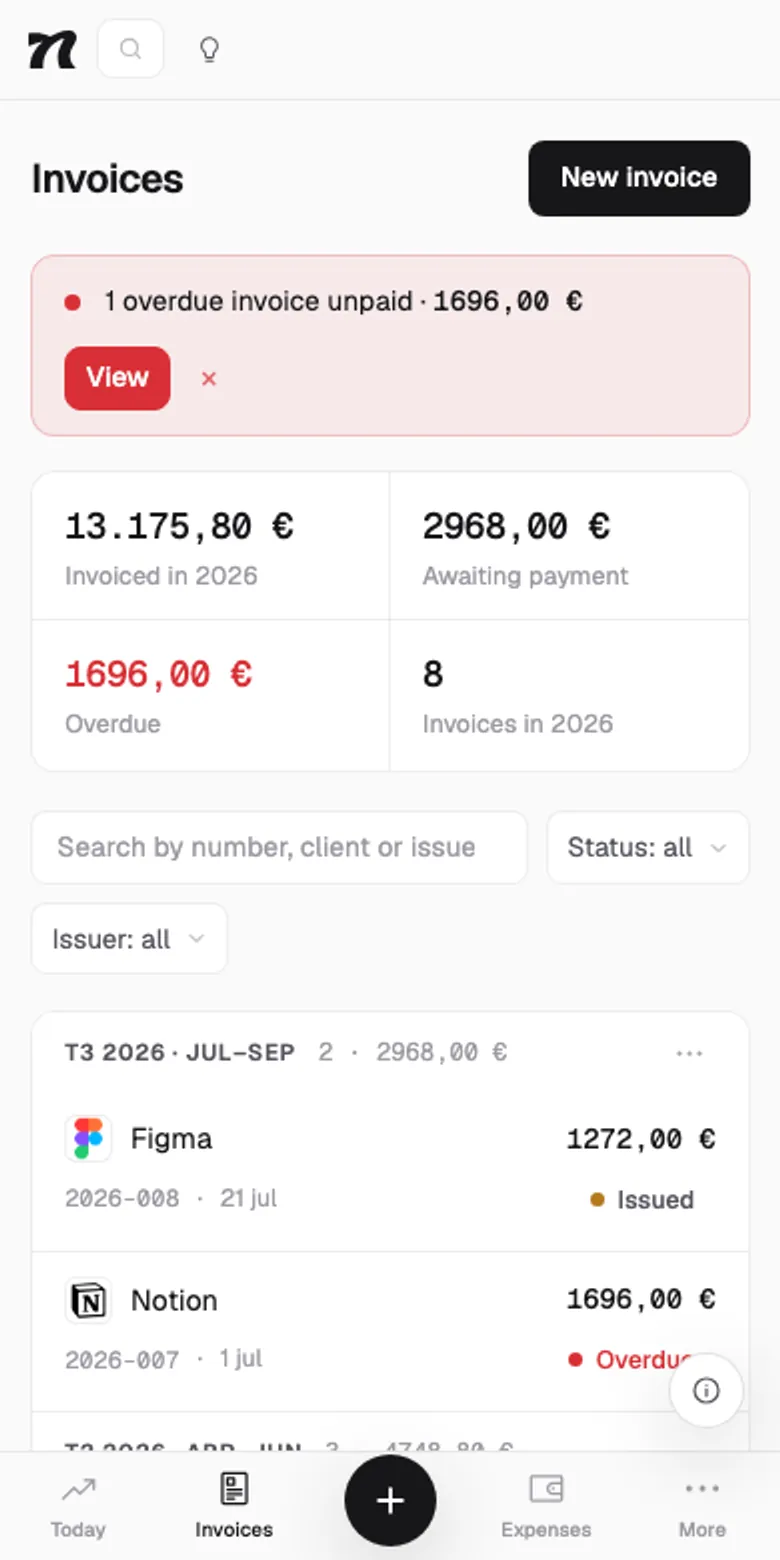
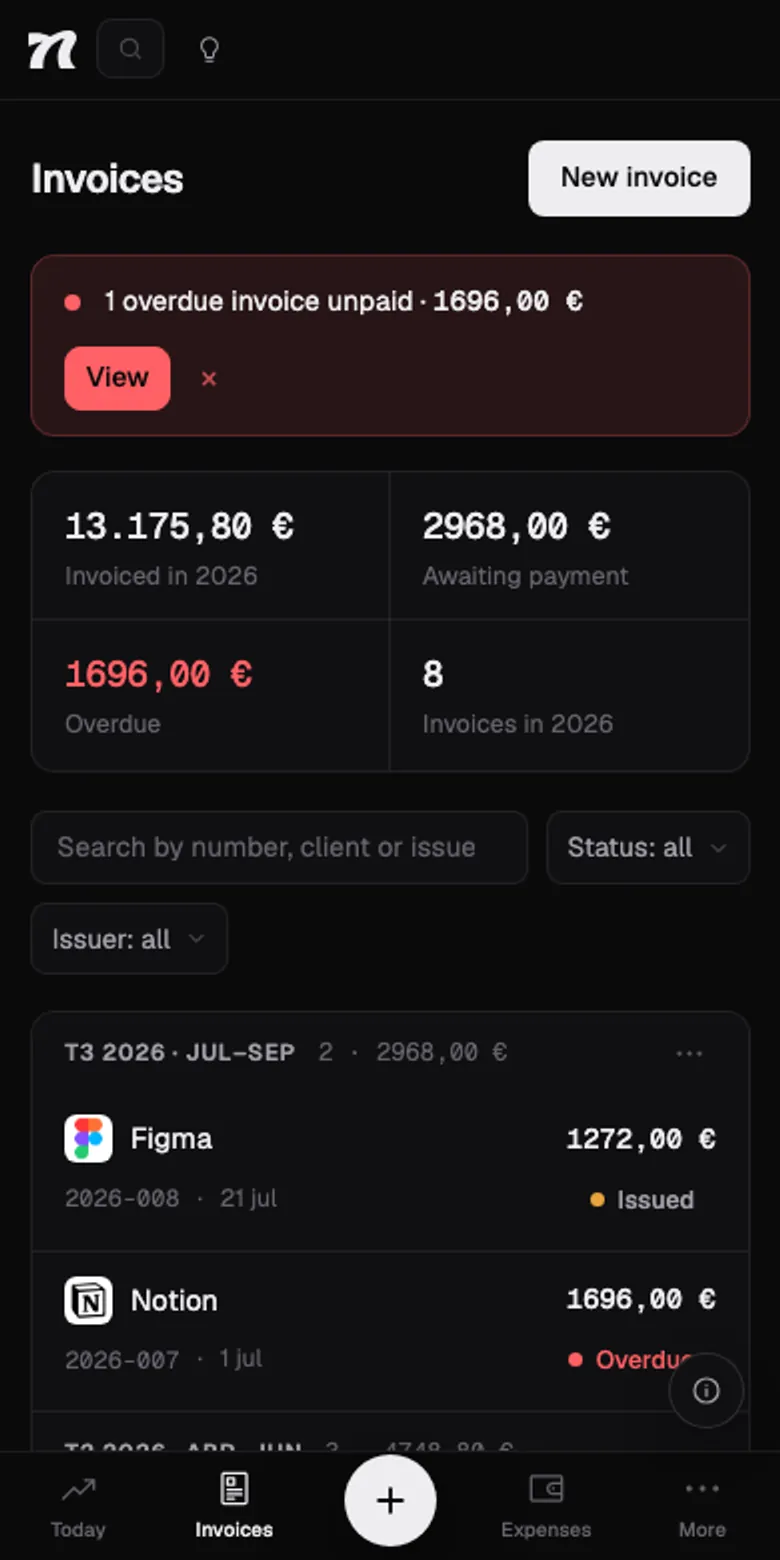
  • What you're owed, at a glanceWhat you're owed, at a glance

    What you're owed, at a glance

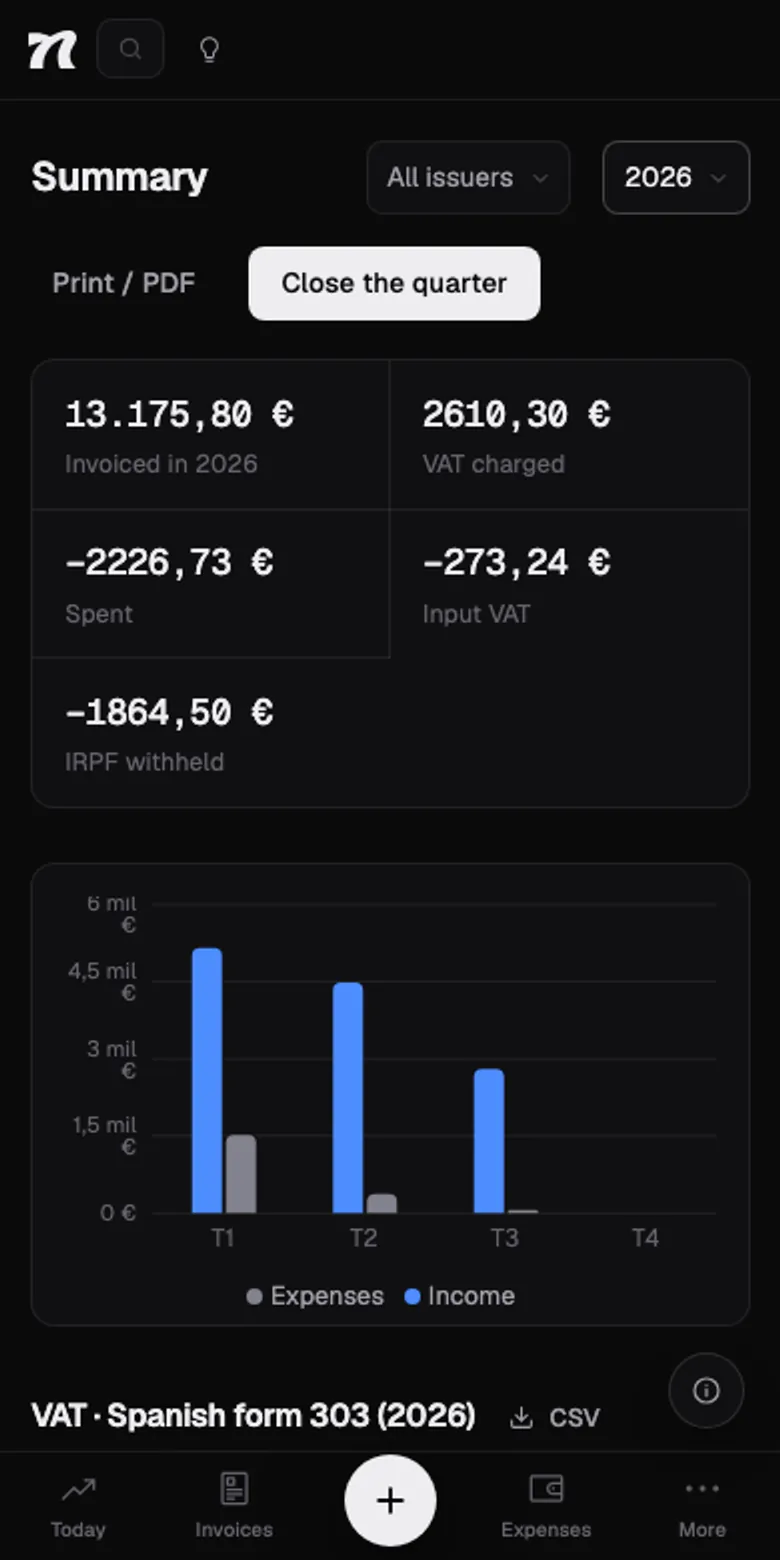
    Every invoice with its status: paid, pending or overdue. And if one's running late, it tells you right at the top.

  • Attachments

    The receipt, stuck to its expense. Goodbye, shoebox.

  • The close, on your phone tooThe close, on your phone too

    The close, on your phone too

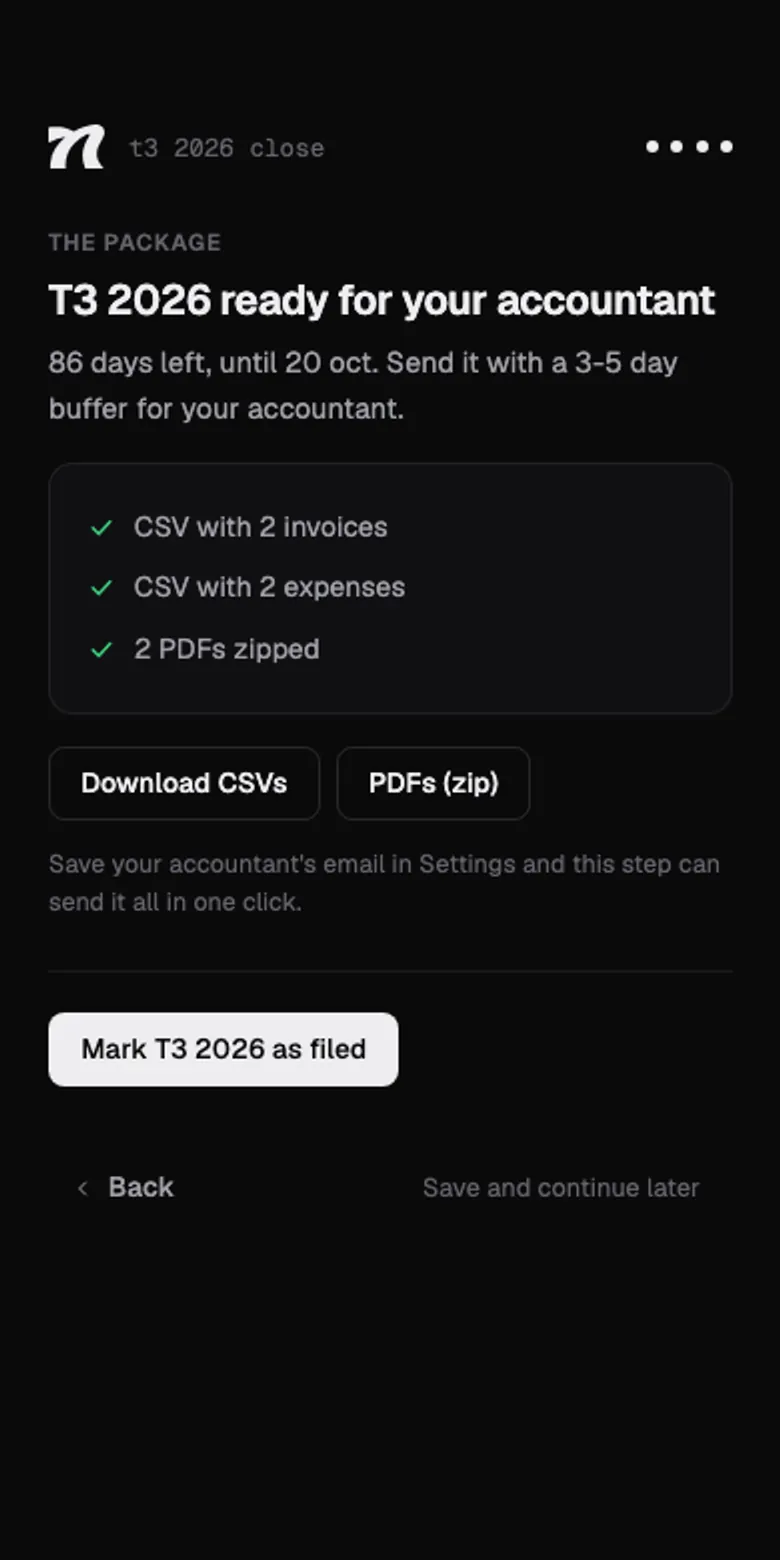
    The quarter's four steps fit on your phone. Close Q3 in the doctor's waiting room.

    The close's four steps →

Your invoices are your books. We treat them that way.

  • In the European Union

    Your invoices, expenses and attachments are stored on servers in the EU, in Ireland.

  • Only you

    Every workspace is isolated in the database with row-level rules: your session reads and writes yours, and nobody else's.

  • We never see your card

    Payments go through Stripe. Card details are typed there and never pass through Nyrut.

  • AI only if you use it

    It sends the receipt you ask it to read, nothing more. And it's never used to train models.

  • No tracking

    No advertising or tracking cookies. We count visits without cookies, and an invoice link never reaches those stats.

  • The link is the key

    Every shared invoice gets a long, unguessable link, and you can revoke it whenever you like.

Read the full privacy policy

One plan. Everything in.

No tiers. No add-ons. No sales rep calling you at lunchtime.

Trial

10 daysfree

Everything included, no card. When it ends you can still view and export your data. We don't hold it hostage.

Pro

€8/month

All unlocked: cloud, attachments, email, public links and AI.

Pro daily

€2/day

Invoice once in a blue moon? It renews by the day, not the month.

Cancel whenever you like. And if you leave, your data leaves with you, all of it. No hard feelings. Prices are in euros, VAT included.

What you're wondering.

How much is it?

Ten days free, no card. Then €8/month, €80/year (two months free) or €2/day for one-off bursts, VAT included. Cancel whenever you like. And if you leave, your data comes with you, all of it.

Is there a cut-down version?

No. That trick of giving you the crippled version so you end up paying for the real one isn't our thing. One plan with everything in: no locked features, no invoice limit, no per-client pricing. The only thing with a cap is the AI, counted per month and reset every month. And whatever comes next, comes for everyone.

I freelance in Spain but I'd rather work in English. Does that work?

That's exactly who this page is for. The app runs fully in English, while your invoices go out in whatever language each client needs, Spanish included. The 303 and the 130 are worked out the same way, and the package for your gestor is the one they expect.

I'm in the US. What does it actually calculate?

Your net profit (Schedule C) and the self-employment tax on it, period by period on the 1040-ES calendar. Not income tax: that depends on your filing status, other income and state, none of which lives in the app. You set aside a percentage of your choosing and it keeps track. No made-up numbers.

What if I'm somewhere else?

There are full tax engines for Spain, Portugal, the Netherlands, Germany, Belgium and the US, each with its rates, its return and its deadline. Anywhere else, the app invoices and keeps expenses and clients, but doesn't calculate taxes. Better nothing than wrong. Every client keeps their own language and currency, wherever you invoice from.

Where does my data live?

On servers in the European Union, in Ireland, isolated per workspace. Only your session can read or touch it. Payments go through Stripe and your card never passes through here. And you can take the full JSON copy whenever you feel like it.

What does my accountant get?

At quarter-end, Nyrut prepares the package: a CSV of invoices, another of expenses, every PDF in a zip and an email with your quarter's figures. Save your accountant's email once in Settings and send it in one click, with everything attached and a copy for you. And if you like, it goes out on its own as soon as you finish the close. No more “can you send me the invoices?”.

Does it replace my accountant?

No. And be wary of anyone who says yes. The quarter's numbers are an estimate based on what's in the app, so you get there without surprises. Filing is still your accountant's job. You'll just make it very easy for them.

What about Verifactu?

If you're in Spain: we'll have it before it's mandatory. For sole traders it's currently 1 July 2027… unless they postpone it again, which they've already done more than once. Relax: we'll get there first, whether the date moves or not.

Can I bring what I already have?

Yes. Import your JSON copy from Data and pick up where you left off. It's all or nothing, and we ask before touching anything. Nobody here deletes without warning.

Does my client need an account to see the invoice?

No. Email them the invoice or send a link, and they open it in the browser. No sign-up, no downloads and no excuse not to pay you.

Does it work on my phone?

Yes. It's a web app, so it opens in your phone's browser with nothing to install. Write the invoice on the sofa and snap the receipt at the café table.

Will the tax office love me more?

No. The tax office loves nobody. But you'll reach the deadline with the numbers done, no surprises and no crying at a spreadsheet. For a freelancer, that's a healthy relationship.

Go on. Send your first invoice.

Ten days free, no card. If it's not for you, you leave with your data and no harm done.

Fine, I'll give it a go